Choosing the Right 3D Visualization Software: Blender, 3ds Max, Cinema 4D & More
Walk into any visualization studio and you'll find fierce loyalty to specific software. Some swear by Blender's flexibility and price. Others can't imagine life without 3ds Max's architectural ecosystem. Cinema 4D users love its motion graphics integration. The truth? There's no single "best" tool — only the right tool for your needs, budget, workflow, and project type.
In this comprehensive guide, we compare the leading 3D visualization software used in architecture, interior design, and product rendering. You'll learn the strengths and weaknesses of Blender, 3ds Max, Cinema 4D, SketchUp, Rhino, and others, understand which renderers pair best with each platform, and discover how to choose based on your specific use case. Whether you're a studio owner evaluating licenses or a freelancer picking your first tool, this guide will help you decide.
Primary keyword: choosing 3D visualization software. Related LSI keywords: 3D modeling software, rendering software comparison, Blender vs 3ds Max, architectural visualization software, interior design 3D tools, product rendering software, 3D visualization tools.
Why software choice matters
Different tools, different strengths
3D software isn't one-size-fits-all. Tools built for motion graphics behave differently than those designed for architectural precision. Understanding these distinctions saves time and frustration.
Ecosystem and integration
Software choice affects your entire pipeline: plugins, renderers, asset libraries, collaboration tools, file formats. Switching later is costly.
Learning curve and productivity
Some tools are beginner-friendly; others require months to master. Your timeline and team experience matter.
Cost and licensing
From free and open-source to expensive perpetual licenses or subscriptions. Budget constraints are real, especially for small studios and freelancers.
Blender: The open-source powerhouse
Overview
Blender is a free, open-source 3D suite covering modeling, sculpting, animation, simulation, rendering, compositing, and video editing. It's become a serious contender in professional visualization over the past 5 years.
Strengths
- Cost: Completely free; no licensing fees
- Versatility: Handles modeling, rendering, animation, compositing in one package
- Active community: Massive user base; abundant tutorials and assets
- Cycles renderer: Built-in path tracer; fast with GPU acceleration
- Eevee real-time engine: Interactive viewport rendering
- Regular updates: Quarterly releases with new features
- Python scripting: Deep customization and automation
Weaknesses
- Learning curve: UI and workflows differ from industry-standard tools; can feel overwhelming
- Industry adoption: Still catching up in large studios (though growing fast)
- Plugin ecosystem: Smaller than 3ds Max; some commercial plugins unavailable
- No official support: Community-driven; no paid helpdesk
Best for
- Freelancers and small studios watching budgets
- Generalists needing modeling, animation, and compositing
- Product visualization and artistic rendering
- Studios comfortable with open-source workflows
Renderers
- Cycles (built-in, path tracer)
- Eevee (built-in, real-time)
- LuxCoreRender (open-source, unbiased)
- Radeon ProRender (AMD, free)
- Octane, Redshift, V-Ray (commercial, via plugins)
3ds Max: The archviz standard
Overview
Autodesk 3ds Max has dominated architectural visualization for decades. Its deep plugin ecosystem and procedural modeling tools make it the go-to for many archviz studios, especially on Windows.
Strengths
- Archviz ecosystem: Plugins like Forest Pack, RailClone, Multiscatter are industry-standard
- Modifier stack: Non-destructive workflows; easy iteration
- Parametric modeling: Editable poly and spline tools; precise control
- Plugin library: Thousands of commercial and free plugins
- Renderer support: V-Ray, Corona, Arnold (Autodesk), FStorm, Octane
- MAXScript: Automation and custom tools
- Industry adoption: Huge user base in architecture and product viz
Weaknesses
- Cost: Expensive subscription ($1,875/year as of 2025)
- Windows only: No native Mac or Linux support
- UI feels dated: Interface hasn't evolved much; can feel clunky
- Steep learning curve: Powerful but complex; takes time to master
- Animation tools: Less refined than Maya for character work
Best for
- Architectural visualization studios (residential, commercial)
- Product rendering requiring parametric modeling
- Teams already invested in Autodesk ecosystem (Revit, AutoCAD)
- Projects needing advanced vegetation and procedural tools
Renderers
- V-Ray (most popular; photorealistic)
- Corona (fast, intuitive, archviz-focused)
- Arnold (Autodesk's in-house; included with subscription)
- FStorm (GPU, real-time feedback)
- Octane, Redshift (GPU path tracers)
Cinema 4D: The motion graphics favorite
Overview
Maxon's Cinema 4D is beloved in motion graphics, product design, and broadcast graphics. Its intuitive interface and MoGraph tools make it approachable while remaining powerful.
Strengths
- User-friendly: One of the most intuitive 3D interfaces; fast onboarding
- MoGraph: Procedural animation and cloning tools; industry-leading
- Integration: Tight workflows with Adobe After Effects (Cineware)
- Stability: Reliable; rarely crashes
- Redshift: Maxon's GPU renderer included in subscription
- Parametric objects: Easy-to-adjust procedural primitives
- Node-based materials: Flexible shading system
Weaknesses
- Archviz support: Smaller plugin ecosystem for architecture vs 3ds Max
- Cost: Expensive subscription (~$1,000/year)
- Less common in archviz: Fewer tutorials and workflows for architectural projects
- Modeling tools: Less robust than Blender or 3ds Max for complex hard-surface
Best for
- Product visualization and motion graphics
- Broadcast design and advertising
- Projects requiring animation and rendering integration
- Studios working between 3D and After Effects
Renderers
- Redshift (included; GPU path tracer; fast and high-quality)
- Octane (GPU, popular for product viz)
- Arnold (CPU, high-end)
- ProRender (AMD, free)
- Physical Renderer (built-in, basic)
SketchUp: The concept king
Overview
Trimble SketchUp is famous for fast, intuitive modeling. It's a favorite for early-stage design, conceptual massing, and quick iterations.
Strengths
- Speed: Fastest tool for conceptual modeling
- Ease of use: Minimal learning curve; designers pick it up in days
- 3D Warehouse: Massive free model library
- Plugins: Extension Warehouse with tools for everything
- Integration: Works well with rendering plugins (V-Ray, Enscape, Lumion)
- Affordable: Free web version; Pro ~$349/year
Weaknesses
- Not a renderer: Requires third-party tools (V-Ray, Enscape) for quality output
- Limited for complex modeling: Struggles with organic shapes and parametric work
- Not ideal for final production: Best for concept stage; hand off to Max/Blender for finals
- Performance: Slows down with large, detailed models
Best for
- Concept design and massing studies
- Interior layout exploration
- Quick client presentations
- Architects and designers needing speed over detail
Renderers (via plugins)
- V-Ray for SketchUp (photorealistic, industry-standard)
- Enscape (real-time, easy previews)
- Lumion (real-time, landscape-focused)
- Twinmotion (real-time, Unreal-based)
- Thea Render (unbiased, versatile)
Rhino: Precision and parametric design
Overview
McNeel Rhino excels at NURBS modeling — precise curves and complex surfaces. It's a favorite in industrial design, jewelry, marine, and parametric architecture.
Strengths
- NURBS precision: Best-in-class for complex curves and surfaces
- Grasshopper: Parametric design plugin; powerful for algorithmic modeling
- File compatibility: Reads/writes almost any CAD or 3D format
- Affordable: ~$995 perpetual license (one-time purchase)
- Cross-platform: Windows and Mac support
- Plugin ecosystem: Strong community; tools for fabrication and analysis
Weaknesses
- Not a full suite: Requires plugins for rendering, animation, compositing
- Learning curve: NURBS workflows differ from poly modeling; takes time
- Rendering: Basic built-in renderer; most use V-Ray or others
- Less common for interiors: Better for product and industrial design
Best for
- Parametric and algorithmic design (with Grasshopper)
- Product design, jewelry, automotive
- Complex freeform surfaces (facades, pavilions)
- Projects requiring CAD precision and file exchange
Renderers (via plugins)
- V-Ray for Rhino (photorealistic, popular)
- Enscape (real-time)
- Lumion LiveSync (real-time)
- KeyShot (product rendering, fast)
- Cycles (open-source, via RhinoCycles)
Maya: Animation and VFX powerhouse
Overview
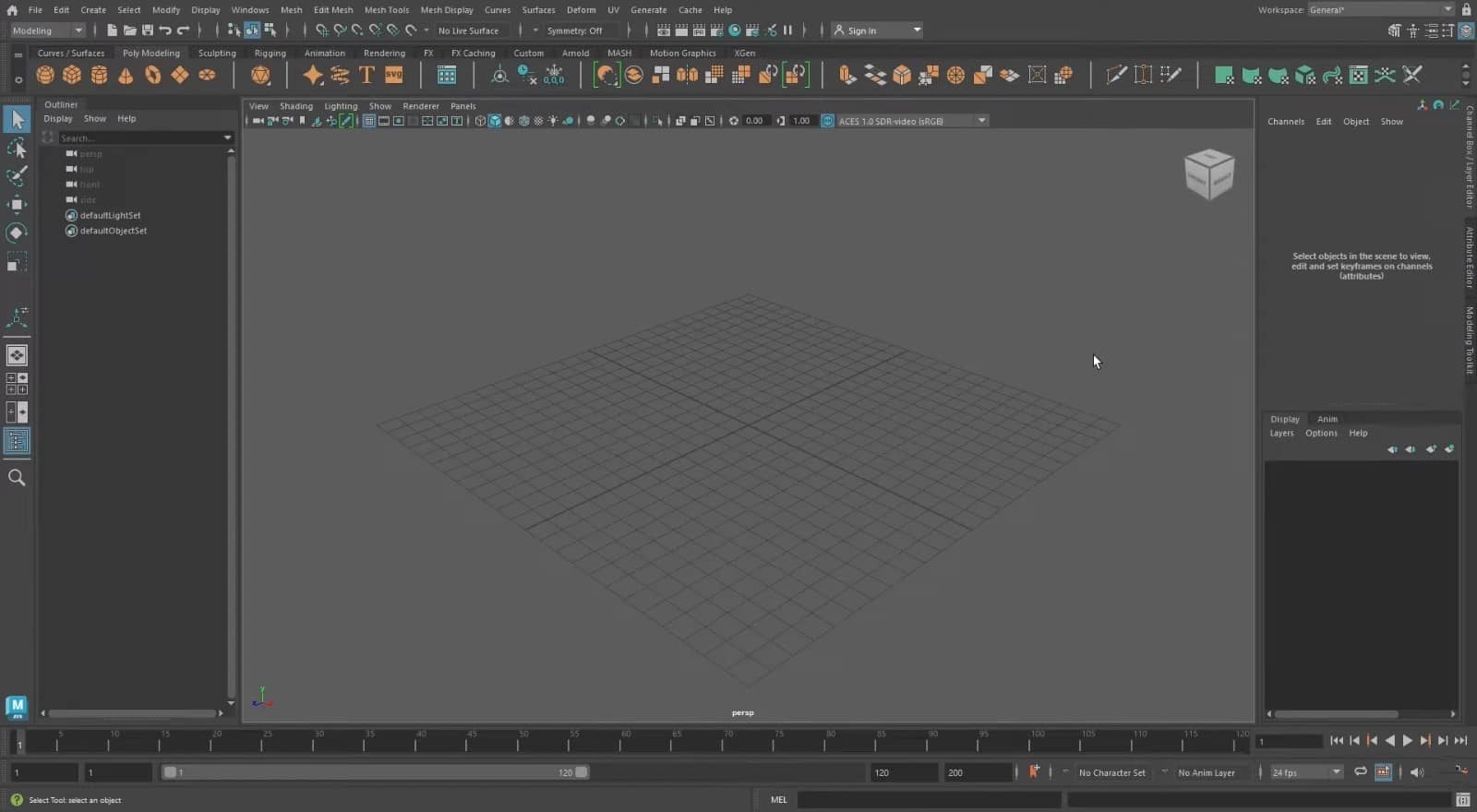
Autodesk Maya is the industry standard for character animation, rigging, and VFX. It's less common in archviz but dominates film and games.
Strengths
- Animation tools: Industry-leading rigging, skinning, and animation
- VFX pipeline: Deep integration with Nuke, Houdini, game engines
- Subdivision surfaces: Excellent for organic modeling
- Scripting: MEL and Python for automation
- Rendering: Arnold built-in; supports all major renderers
Weaknesses
- Overkill for archviz: Most features irrelevant for architectural work
- Steep learning curve: Complex and deep; takes months to master
- Expensive: ~$1,875/year subscription
- Interface: Less intuitive for non-animators
Best for
- Character animation and rigging
- VFX and film production
- Game asset creation
- Projects requiring complex deformation and simulation
Renderers
- Arnold (built-in, industry-standard for film)
- V-Ray
- Redshift
- RenderMan (Pixar, film-quality)
Real-time engines: Unreal and Unity
Overview
Unreal Engine (Epic Games) and Unity (Unity Technologies) are game engines now widely used for architectural visualization, VR/AR, and interactive experiences.
Strengths
- Real-time: Instant feedback; no render wait times
- Interactivity: VR walkthroughs, configurators, web experiences
- Quality: Modern ray tracing rivals offline renderers
- Scalability: From mobile AR to high-end PC VR
- Free tiers: Both offer free versions for small studios
Weaknesses
- Learning curve: Different paradigm from traditional 3D software; requires programming knowledge for advanced work
- Asset optimization: Models must be retopologized and optimized for performance
- Not modeling tools: Require external software for asset creation
Best for
- VR and AR experiences
- Interactive configurators and web 3D
- Real-time presentations and design reviews
- Projects needing animation and interactivity
How to choose: decision framework
1. What's your primary use case?
- Architecture (exteriors, interiors): 3ds Max, Blender, SketchUp + plugins
- Product visualization: Cinema 4D, Blender, Rhino + KeyShot
- Motion graphics: Cinema 4D
- Parametric/algorithmic design: Rhino + Grasshopper
- Animation/VFX: Maya, Blender
- Interactive/VR: Unreal Engine, Unity
2. What's your budget?
- Free: Blender, Unreal, Unity
- Budget-conscious: SketchUp Pro, Rhino (perpetual)
- Professional budget: 3ds Max, Cinema 4D, Maya (subscriptions)
3. What's your team's experience?
- Beginners: SketchUp, Cinema 4D
- Intermediate: Blender, Rhino
- Advanced: 3ds Max, Maya, Houdini
4. What's your ecosystem?
- Autodesk workflow (Revit, AutoCAD): 3ds Max, Maya
- Adobe workflow (After Effects): Cinema 4D
- Open-source: Blender
- Game engines: Unreal, Unity
5. What renderer do you prefer?
- V-Ray users: 3ds Max, SketchUp, Rhino
- Corona users: 3ds Max
- Cycles users: Blender
- Redshift users: Cinema 4D, 3ds Max, Maya
- Real-time users: Unreal Engine, Unity
What professional studios use
At Space Visual, we leverage multiple tools based on project requirements:
- 3ds Max + Corona/V-Ray for architectural exteriors and interiors (precision, plugin ecosystem, archviz workflows)
- Blender + Cycles for product visualization and creative projects (flexibility, cost-efficiency, versatility)
- SketchUp for early-stage concepts and client collaboration (speed, ease of communication)
- Unreal Engine for VR walkthroughs and interactive presentations (real-time, immersive experiences)
This multi-tool approach lets us choose the best platform for each project phase and client need. Many professional studios operate similarly — no single tool dominates, but rather a toolkit optimized for different scenarios.
Learning resources
Blender
- Blender Guru (YouTube)
- CG Boost, CG Cookie (paid courses)
- Official Blender documentation
3ds Max
- Arroway Textures tutorials
- Ronen Bekerman blog and forum
- LinkedIn Learning, Udemy courses
Cinema 4D
- Greyscalegorilla (tutorials, plugins)
- School of Motion (motion graphics focus)
- Maxon Training Team (official)
SketchUp
- SketchUp Campus (official)
- TheSketchUpEssentials (YouTube)
- SketchUcation forum
Rhino
- Rhino3D.Education (official)
- Grasshopper3D.com
- McNeel tutorials
Future trends
- AI integration: Material generation, denoising, upscaling
- Cloud rendering: Distributed farms for faster turnarounds
- Real-time dominance: Unreal and Unity gaining archviz share
- Cross-platform workflows: USD (Universal Scene Description) for interoperability
- Procedural everything: Node-based workflows becoming standard
FAQ
Is Blender good enough for professional architectural visualization?
Yes. Blender has matured significantly and is used by many professional studios. Its Cycles renderer rivals commercial options, and the price (free) is unbeatable. The main limitation is a smaller archviz plugin ecosystem compared to 3ds Max, but that gap is closing.
Which is better for beginners: Blender or 3ds Max?
Neither is "easy," but SketchUp is best for true beginners. Between Blender and 3ds Max, Blender has more beginner-friendly tutorials and a welcoming community, but 3ds Max has clearer workflows for architecture specifically. Try both with free trials/versions.
Can I use SketchUp for final rendering?
SketchUp is best for modeling and concept work. For final rendering, pair it with plugins like V-Ray, Enscape, or Lumion. SketchUp's native renderer is too basic for professional photoreal work.
What software is best for product visualization?
Cinema 4D with Redshift, Blender with Cycles, or Rhino with KeyShot are all excellent. Cinema 4D is most intuitive, Blender is free and versatile, Rhino excels at precision. Choose based on your design workflow and budget.
Should I learn one software deeply or multiple tools?
Master one core modeling tool first (3ds Max, Blender, or Cinema 4D), then expand. Understanding 3D principles in one tool makes learning others faster. Professional studios often use 2–3 tools for different project types.
Conclusion: choose tools, don't let tools choose you
There's no universal "best" 3D visualization software — only the right tool for your projects, budget, and workflow. Blender offers unbeatable value and versatility. 3ds Max dominates archviz with its ecosystem. Cinema 4D excels in motion and product work. SketchUp wins for speed and concepts. Rhino handles parametric precision. The smartest studios (like ours) use multiple tools strategically, playing to each platform's strengths.
Don't let software wars distract you from what matters: delivering great work. Pick a tool, learn it deeply, and focus on craft. The software is just the brush — you're the artist.
If you're evaluating software for your studio or want to understand how professional visualization teams structure their toolchains, Space Visual offers consulting and training. We'll help you choose, implement, and optimize your 3D pipeline for maximum efficiency and quality.
Explore Latest Blogs
3D Product Visualization: Boosting E‑commerce Sales with Interactive Renders
A comprehensive guide to 3D product visualization for e‑commerce — how interactive renders, 360° viewers, and animations increase conversions, reduce photoshoot costs, and speed up launches.


How 3D Renderings Help in Client Approvals and Faster Project Sign-off
A comprehensive guide to using 3D renderings for faster client approvals and project sign-off — covering decision psychology, approval workflows, cost savings, and stakeholder communication strategies.