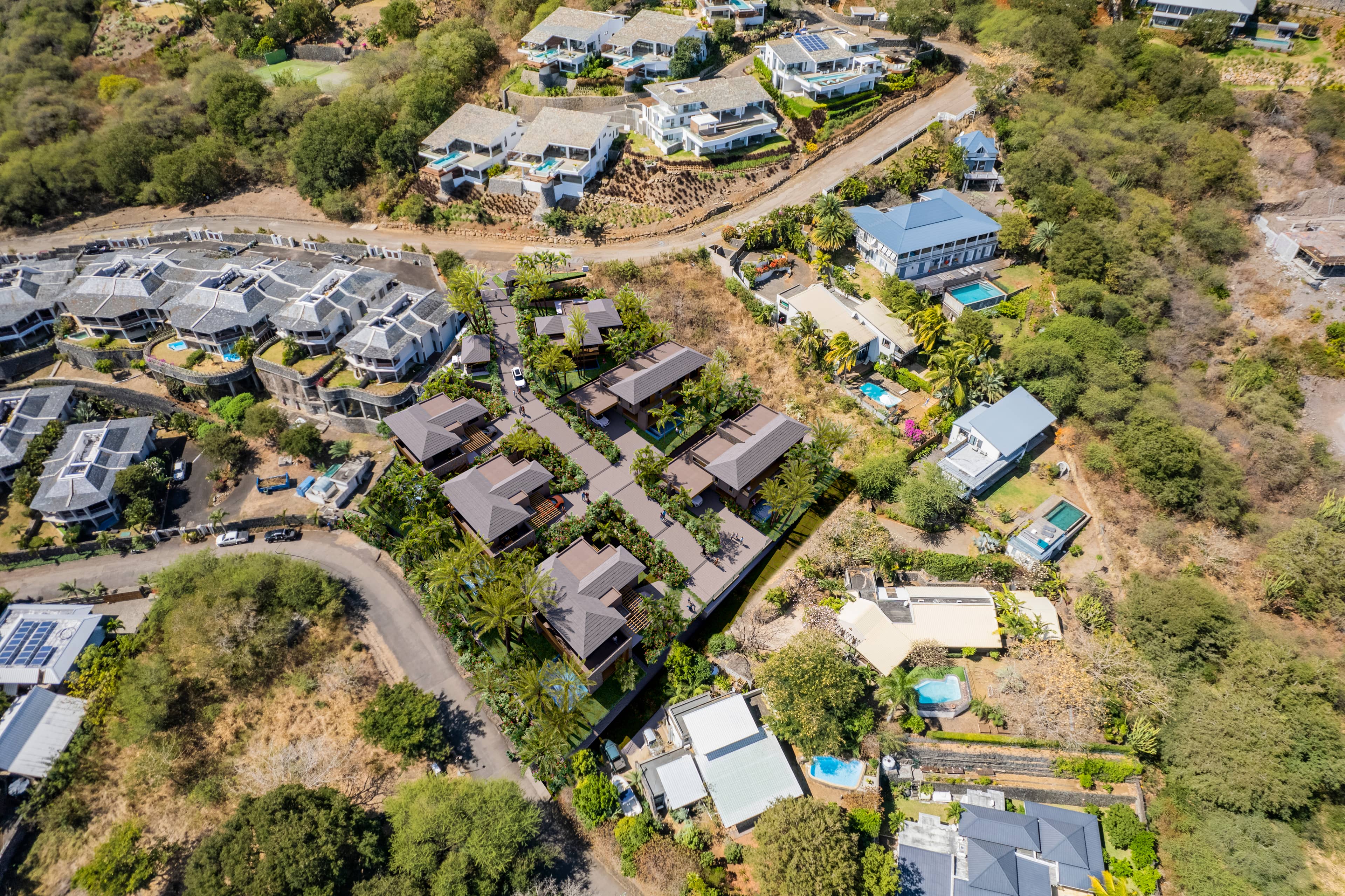
Exterior CGI Visualization: How to Showcase Landscaping, Façade, and Surroundings
An exterior render isn't just about the building — it's about the story the environment tells. A luxury residential tower needs more than accurate brick and glass; it needs golden hour light filtering through mature trees, a vibrant streetscape, and a sky that matches the aspirational lifestyle you're selling. Context is everything. Get the surroundings right, and your property doesn't just look real — it looks desirable.
In this definitive guide to exterior CGI visualization, we explore how to showcase landscaping, façade materials, and environmental context to create premium, market-ready renders. You'll learn sky selection strategies, vegetation techniques, façade rendering workflows, lighting and mood control, and the common mistakes that make exteriors look flat or generic. Whether you're visualizing residential, commercial, or mixed-use developments, this guide will elevate your outdoor scenes.
Primary keyword: exterior CGI visualization. Related LSI keywords: exterior rendering, landscaping 3D, façade visualization, architectural exterior, outdoor scenes, CGI property marketing, sky replacement, vegetation rendering, context modeling, photoreal exteriors.
Why exterior context defines perceived value
Context creates believability
A building floating in white space looks like a placeholder. Surround it with trees, neighboring structures, parked cars, and pedestrians, and it becomes a place.
Landscaping signals quality
Premium properties have intentional landscaping. Mature trees, varied plant species, and thoughtful hardscaping communicate care, investment, and lifestyle.
Façade materials set expectations
The way light interacts with brick, glass, metal, and stone tells buyers about quality and maintenance. Realistic materials build trust.
Mood drives emotion
A sun-drenched courtyard evokes warmth and community. A moody dusk exterior with glowing interiors suggests exclusivity and comfort. The environment is your emotional anchor.
Sky and atmosphere: setting the stage
The sky occupies 30–60% of most exterior renders. It sets tone, time of day, and weather — all critical to mood.
Sky selection strategies
Clear blue sky (midday)
- Use case: Corporate, institutional, clean modern design
- Mood: Bright, energetic, transparent
- Watch-outs: Can feel harsh; requires strong shadows for depth
Partly cloudy (varied)
- Use case: Residential, mixed-use, versatile applications
- Mood: Dynamic, natural, approachable
- Pro tip: Clouds add visual interest and break up flat blue
Golden hour (warm, low sun)
- Use case: Luxury residential, hospitality, lifestyle marketing
- Mood: Warm, inviting, aspirational
- Best times: 7–9 AM or 4–6 PM depending on façade orientation
Overcast (soft, diffuse)
- Use case: Minimalist architecture, Scandinavian/Nordic projects
- Mood: Calm, clean, even
- Benefit: Soft shadows; forgiving for complex façades
Dusk/blue hour
- Use case: High-end residential, hotels, restaurants
- Mood: Dramatic, exclusive, sophisticated
- Technique: Warm interior lights contrast with cool twilight sky
HDRI vs photographed skies
- HDRI: Provides lighting and reflections; realistic cloud detail
- Photographed: Higher resolution for backgrounds; requires manual lighting setup
- Hybrid: HDRI for lighting, photo sky composited in post for sharpness
Atmospheric perspective
Distant objects fade and shift toward sky color due to atmospheric scattering. This depth cue is essential for large exteriors and masterplans.
How to achieve:
- Add aerial perspective shader/fog in-engine
- Composite gradient overlays in post-production
- Use depth pass to control fade intensity by distance
Landscaping: the premium differentiator
Landscaping transforms a building render into a lifestyle vision. It provides scale, softens hard edges, and signals investment.
Vegetation types and placement
Mature trees
- Purpose: Frame the building, provide shade, add seasonal color
- Placement: Flanking entries, along streets, in courtyards
- Species: Match climate and region (palm vs oak vs birch)
- Modeling: Use high-quality proxies (Laubwerk, SpeedTree, Megascans)
Shrubs and hedges
- Purpose: Define boundaries, add mid-level green mass
- Placement: Foundation plantings, borders, median strips
- Detail level: Mid-poly for mid-ground; lower for background
Ground cover and lawns
- Purpose: Base layer; provides color and texture
- Technique: Scatter systems for varied grass blades; avoid uniform green carpets
- Realism boost: Add subtle brown patches, clover, seasonal variation
Flowering plants and accents
- Purpose: Add pops of color; seasonal interest
- Placement: Entries, balconies, planters
- Balance: Use sparingly; too many can distract from architecture
Hardscaping and site elements
- Pathways: Concrete, pavers, gravel — match site plan
- Retaining walls: Show grade changes; add material interest
- Lighting: Bollards, uplights, path lights for dusk scenes
- Furniture: Benches, planters, bike racks — human scale and activity cues
Seasonal considerations
- Spring: Fresh greens, flowering trees, lighter skies
- Summer: Lush, full foliage; deep greens; high sun
- Autumn: Warm tones, falling leaves, golden light
- Winter: Bare branches, evergreens, snow (if regional)
Choose season based on marketing goals and project timeline.
Façade rendering: materials and details
The façade is the hero. Every material must respond to light correctly and communicate quality.
Common façade materials
Brick
- Texture: Varied color, subtle roughness, mortar joints
- Detail: Weathering, efflorescence on older buildings
- Lighting: Shows relief and depth with angled light
Glass and curtain walls
- Reflection: Sky, trees, neighboring buildings
- Transparency: Show interior glimpses for depth
- Detail: Mullions, spandrel panels, shading devices
- Realism boost: Subtle dirt, water spots, reflections of clouds
Metal panels (aluminum, zinc)
- Finish: Brushed, anodized, perforated
- Reflection: Sharp or diffuse based on finish
- Detail: Seams, fasteners, weathering (patina on copper/zinc)
Concrete and precast
- Texture: Board-formed, smooth troweled, or aggregate
- Color: Subtle variation, staining, weathering
- Detail: Control joints, formwork tie holes
Stone cladding
- Type: Limestone, granite, travertine, slate
- Variation: Natural color shifts, veining
- Detail: Mortar joints, corner details
Wood and composite panels
- Grain: Natural variation, knots (if real wood)
- Weathering: Graying (cedar, teak) or maintenance (painted)
- Detail: Fasteners, spacing gaps
Façade composition tips
- Show depth: Balconies, recesses, canopies create shadow play
- Break repetition: Vary window treatments, add texture changes
- Accurate scale: Door and window sizes must feel human-scale
- Detail selectively: Focus high detail near camera; simplify distant façades
Lighting and mood: the emotional driver
Lighting exterior scenes is about more than visibility — it's about emotion and storytelling.
Daylight exterior lighting
Setup:
- Physical sun/sky or HDRI matched to desired time and location
- Directional sun for sharp shadows and highlights
- Fill lights or skylight for shadow lift
- Global illumination for light bounce off ground and façades
Tips:
- Avoid flat midday sun (11 AM–1 PM) unless intentional
- Use low-angle sun (morning/afternoon) for texture and drama
- Test sun direction: front-lit (flat), side-lit (dimensional), back-lit (silhouette)
Dusk and twilight exteriors
Setup:
- Gradient sky (deep blue at zenith, warm at horizon)
- All interior lights on (warm 2700–3000K)
- Landscape and façade accent lights
- Subtle ambient skylight for exterior detail
Benefits:
- Warm/cool contrast is visually compelling
- Interior glow suggests occupation and lifestyle
- Forgiving lighting hides imperfections
Common mistakes:
- Sky too dark (loses context)
- Interior lights too bright or too cool
- No ambient light on façade (looks flat black)
Artificial accent lighting
Uplighting:
- Highlight trees, façade features, columns
- Warm color temperature for inviting feel
Path and bollard lights:
- Define circulation; add human-scale detail
- Subtle glow; avoid overpowering
Façade wash:
- Graze textured walls; emphasize relief
- Cool or warm based on design intent
Context and surroundings: building the world
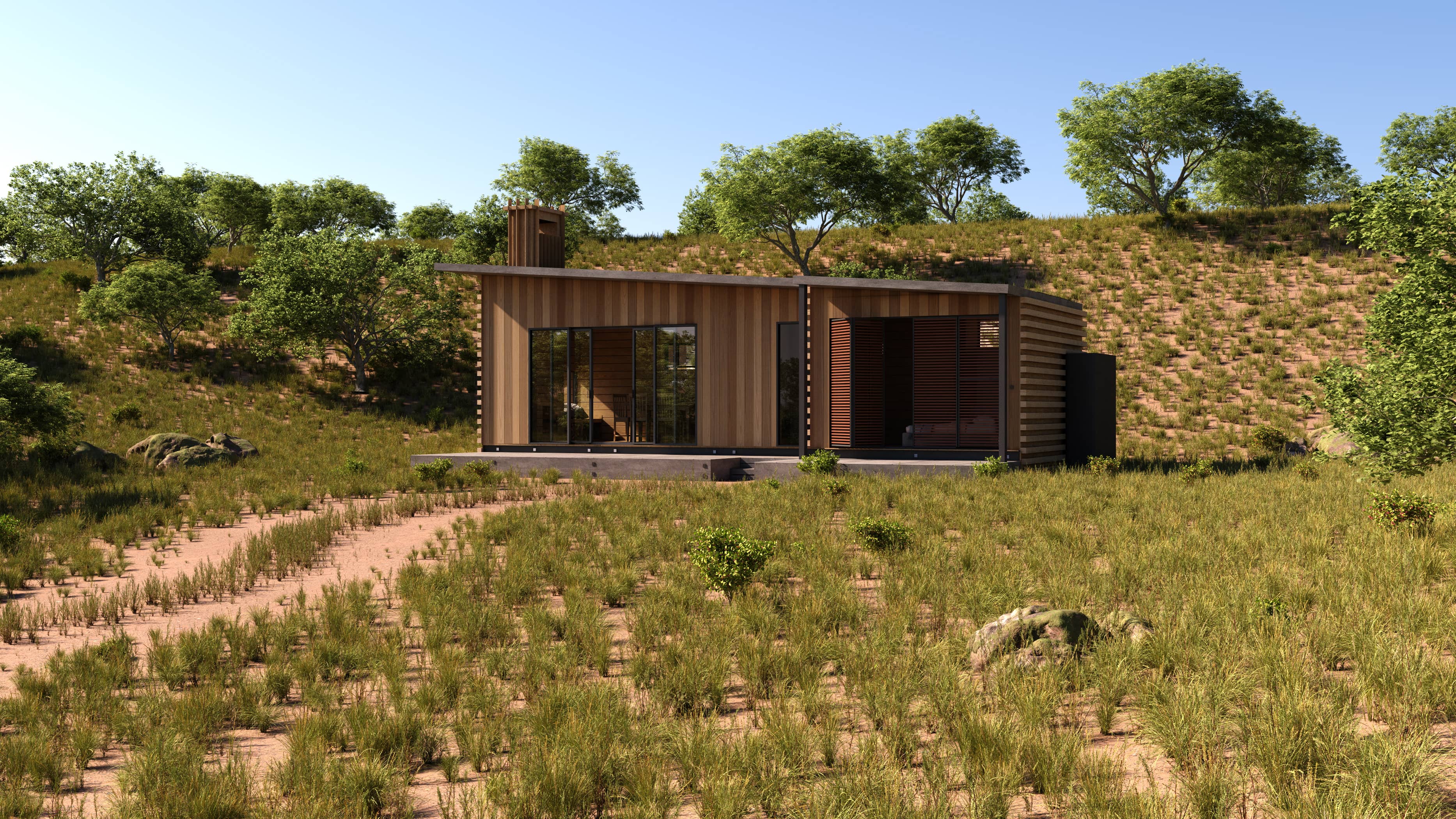
Exteriors don't exist in isolation. Neighboring buildings, streets, and activity make scenes believable.
Site context modeling
Neighboring buildings:
- Model simplified massing for immediate neighbors
- Use photo planes or low-poly proxies for distant context
- Match architectural style and era
Streets and infrastructure:
- Roads, sidewalks, curbs with correct widths
- Pavement markings, street furniture, signage
- Utility poles, street lights (if contextually appropriate)
Topography:
- Model site grading, slopes, retaining walls
- Match existing contours from survey data
Entourage and human scale
People:
- Placement: Entries, sidewalks, terraces, parks
- Diversity: Age, activity, posture
- Balance: Enough for life; not so many it's crowded
- Technique: Cutout images, 3D scanned models, or painted
Vehicles:
- Parked cars: Suggest occupation; add realism
- Moving vehicles: Motion blur for dynamic scenes
- Types: Match target demographic (luxury vs family vs urban)
Activity cues:
- Bikes, strollers, dogs, café seating
- Seasonal: Ice cream carts (summer), bundled pedestrians (winter)
Workflow: creating a premium exterior render
Step 1 — Gather site data and references
- CAD drawings, site photos, neighboring context photos
- Sun path studies for optimal façade orientation
- Landscape plan and planting schedule
- Material samples and product specs
Step 2 — Model the building and immediate context
- Accurate façade geometry with proper detail
- Simplified neighboring buildings (LOD based on distance)
- Site grading and hardscaping
Step 3 — Apply materials and textures
- PBR materials for all façade elements
- Tiling textures for large surfaces (brick, concrete)
- Unique maps for hero details (entries, signage)
Step 4 — Populate landscaping
- Place hero trees using high-quality proxies
- Scatter mid-ground and background vegetation
- Add seasonal and regional appropriateness
Step 5 — Set up lighting and sky
- Choose time of day and weather based on mood
- Position sun or use HDRI for base lighting
- Add accent lights for dusk or night scenes
Step 6 — Camera placement and composition
- Eye-level human perspective for approachability
- Elevated view for masterplan context
- Rule of thirds; strong foreground/mid/background
Step 7 — Entourage and final details
- Add people, vehicles, activity cues
- Ensure scale and lifestyle alignment
Step 8 — Render and post-production
- Multi-pass rendering (beauty, AO, depth, IDs)
- Sky replacement if needed
- Color grading, contrast, final retouching
- Add lens effects sparingly (vignette, chromatic aberration)
Common exterior visualization mistakes
1. Generic, stock landscaping
Problem: Trees and plants look copied from a library without context.
Fix: Match species to region and climate; vary placement and scale.
2. Flat, lifeless sky
Problem: Uniform blue or gray with no clouds or atmosphere.
Fix: Use dynamic skies with cloud detail; add atmospheric perspective.
3. Over-lit or under-lit façades
Problem: Exposure doesn't balance building and context.
Fix: Use physical camera settings; test histograms; balance interior/exterior light.
4. No depth or layering
Problem: Everything in focus; no foreground interest.
Fix: Add foreground elements (trees, people); use subtle depth of field.
5. Ignored context
Problem: Building floats in space; no streets, neighbors, or site features.
Fix: Model immediate context; use photo planes for distant surroundings.
6. Unrealistic materials
Problem: Façade materials look plastic or overly uniform.
Fix: Use PBR materials with variation; add weathering and imperfections.
Tools and resources
Vegetation libraries
- Laubwerk: Parametric trees and plants; season control
- SpeedTree: Procedural vegetation; wind animation
- Quixel Megascans: Scanned trees and ground cover
- Maxtree, Evermotion: Pre-made plant models
Sky and HDRI
- HDRI Haven, Polyhaven: Free high-res HDRIs
- CGSkies, HDRISkies: Premium sky domes and HDRIs
- Custom capture: 360 camera on-site for exact context
Entourage
- Renderpeople: High-quality scanned people (posed and rigged)
- Axyz Design: People and vehicles
- CG Source: Cutout people and objects
- Custom photography: Shoot on-site for exact demographic
Performance and optimization
Exterior scenes can become heavy. Strategies:
- Use instancing for repeated elements (trees, pavers)
- LOD management: High detail near camera, simplified distant
- Proxy geometry for vegetation (render-time substitution)
- Limit high-res textures to hero areas
- Use depth-based culling to skip off-camera objects
FAQ
How important is landscaping in exterior visualization?
Critical. Landscaping provides scale, softens hard architecture, and signals quality and investment. Premium projects always show intentional, mature landscaping that matches the target lifestyle.
What time of day works best for exterior renders?
Depends on goals. Golden hour (early morning or late afternoon) is most flattering for residential. Dusk creates drama and warmth. Midday works for commercial/institutional. Match time to emotion and target audience.
Should I model neighboring buildings?
Yes, at least simplified versions. Immediate neighbors ground your building in context. Distant buildings can be photo planes or low-poly proxies. Context makes renders believable and helps buyers visualize location.
How do I make façade materials look realistic?
Use PBR materials with proper scale, add subtle color variation, show weathering and imperfections, ensure correct light interaction (reflections on glass, relief on brick), and match real-world product specs when available.
What's the best way to add people and cars?
Use a mix: high-quality 3D scanned models for close-ups, cutout images for mid-ground, painted silhouettes for background. Match activity and demographic to project type. Avoid overcrowding; suggest life without distraction.
Conclusion: exteriors sell context, not just buildings
A great exterior CGI visualization does more than show a building — it sells a vision of place, lifestyle, and investment quality. Sky, landscaping, façade materials, lighting, and context work together to create emotion and trust. When you get the details right — the way afternoon sun filters through oak leaves, the warm glow of interior lights at dusk, the texture of weathered brick — your renders stop being marketing tools and become experiences.
Space Visual specializes in premium exterior CGI visualization for residential, commercial, and mixed-use developments. We combine accurate façade rendering with thoughtful landscaping, context modeling, and mood-driven lighting to create images that perform in pre-sales, approvals, and investor decks.
Explore Latest Blogs
3D Product Visualization: Boosting E‑commerce Sales with Interactive Renders
A comprehensive guide to 3D product visualization for e‑commerce — how interactive renders, 360° viewers, and animations increase conversions, reduce photoshoot costs, and speed up launches.

How 3D Renderings Help in Client Approvals and Faster Project Sign-off
A comprehensive guide to using 3D renderings for faster client approvals and project sign-off — covering decision psychology, approval workflows, cost savings, and stakeholder communication strategies.