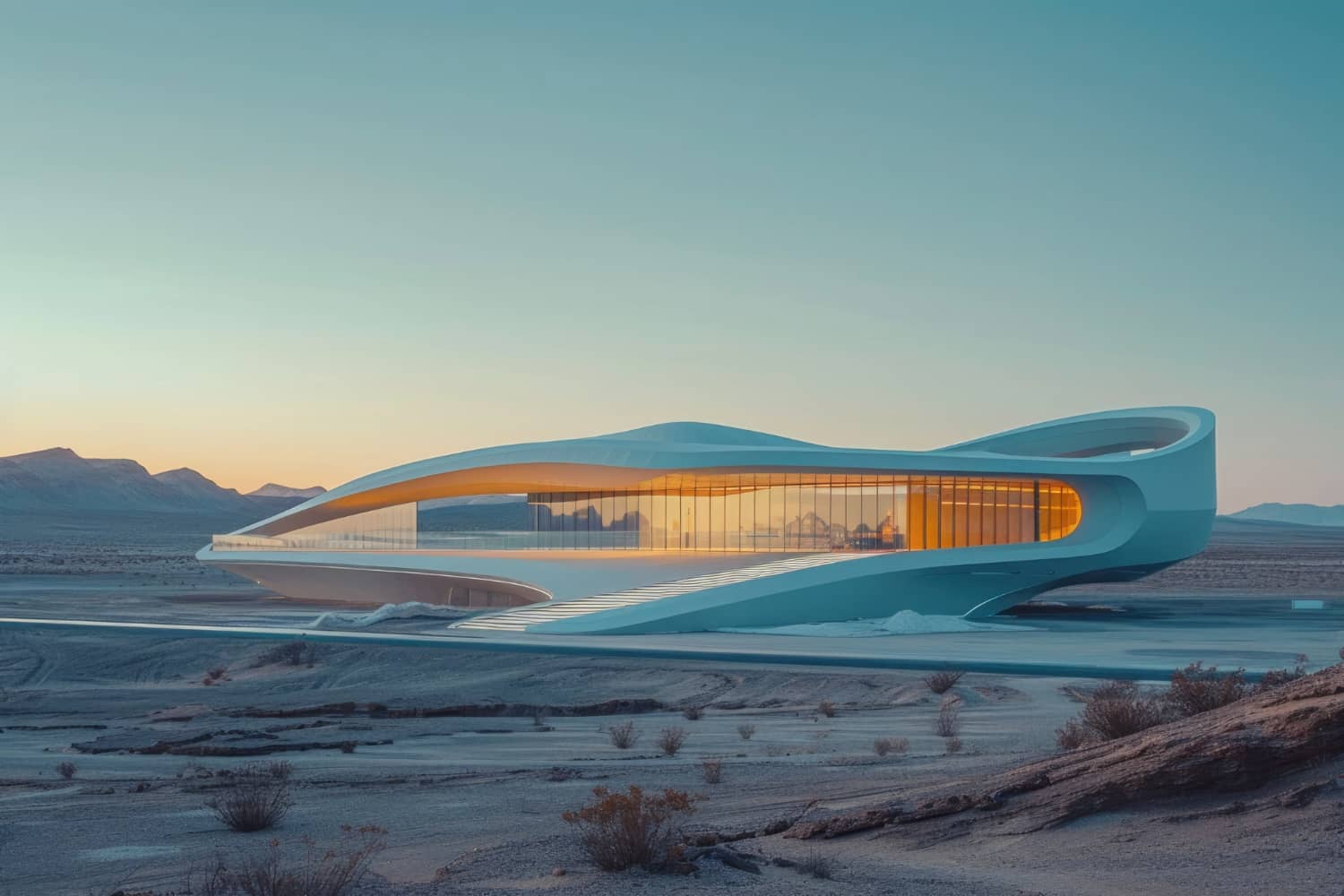
Future Trends in 3D Visualization: AI, Real-time Rendering, Cloud Render Farms
The 3D visualization industry is evolving faster than ever. What took hours or days to render five years ago now happens in real-time. Materials that required painstaking manual creation are generated by AI in seconds. Studios that once relied on local workstations now leverage cloud render farms to scale infinitely. And clients don't just view static images — they walk through virtual buildings in VR before construction begins.
These aren't distant predictions. They're happening now, reshaping how architectural visualization studios operate, how quickly projects move from concept to approval, and what clients expect from visual communication. Whether you're an architect, developer, or visualization professional, understanding these trends isn't optional — it's essential to staying competitive.
In this comprehensive guide, we explore the future of 3D visualization through four transformative technologies: AI-powered workflows, real-time rendering engines, cloud-based render farms, and immersive VR/AR collaboration. We'll examine how each technology works, its practical applications, adoption strategies, and what it means for the industry's next chapter.
Primary keyword: future trends in 3D visualization. Related LSI keywords: AI rendering, real-time rendering, cloud render farms, Unreal Engine, GPU rendering, VR collaboration, procedural materials, machine learning 3D, architectural visualization trends.
The convergence driving change
Three forces are accelerating 3D visualization innovation:
1. Hardware evolution
GPU performance: Modern GPUs (NVIDIA RTX 4090, AMD Radeon 7900 XTX) deliver 10–20× the rendering power of cards from five years ago. Ray tracing is now real-time. Path tracing is approaching interactive speeds.
Cloud infrastructure: Amazon AWS, Google Cloud, and specialized services like Rebus Farm and Chaos Cloud offer on-demand rendering capacity. Scale from one machine to thousands in minutes.
VR/AR devices: Meta Quest 3, Apple Vision Pro, and enterprise headsets (Varjo XR-4) bring immersive visualization to mainstream price points with professional-grade optics.
2. Software maturity
Real-time engines: Unreal Engine 5, Unity HDRP, and specialized tools like Twinmotion and Enscape deliver photoreal quality at interactive frame rates.
AI integration: Machine learning powers automatic material generation, upscaling, denoising, and even full scene synthesis. Tools like DALL-E, Midjourney, and specialized plugins (Stable Diffusion for 3D) are entering production workflows.
Cloud-native tools: Blender, Houdini, and Omniverse support distributed workflows where teams collaborate in real-time across continents.
3. Client expectations
Clients now expect:
- Instant feedback: "Can we see the kitchen in blue instead of white?" Waiting days for re-renders is obsolete.
- Interactive exploration: Clients want to walk through spaces, change materials, and experience designs from multiple perspectives.
- Faster delivery: Competitive pressure demands weeks where months were once standard.
Trend 1: AI-powered 3D workflows
Artificial intelligence is transforming every stage of the visualization pipeline — from concept to final pixels.
AI material generation
What it is:
Machine learning models trained on millions of material photographs can generate physically accurate textures (albedo, roughness, normal maps, displacement) from simple text prompts or single reference images.
Tools available now:
- Poly.cam AI Materials: Upload a photo; get instant PBR texture sets
- Stable Diffusion plugins: Generate seamless textures directly in Blender or 3ds Max
- Adobe Substance 3D Sampler: AI-powered texture generation and variation
- Architextures.ai: Purpose-built for architectural materials
Practical applications:
- Speed: Generate 20 wood grain variations in minutes (not hours of manual work)
- Uniqueness: Every texture is unique; no repetitive tiling patterns
- Iteration: Test dozens of material options during client meetings without pre-building libraries
Example workflow:
- Client requests "warm oak flooring with subtle grain"
- Enter prompt into AI material generator
- Generate 10 variations in 30 seconds
- Apply directly to 3D model; client selects favorite
- Lock material and proceed (total time: 5 minutes)
AI-assisted modeling and scene generation
Text-to-3D:
Emerging tools (NVIDIA GET3D, OpenAI Shap-E) generate 3D models from text descriptions. While not yet production-ready for architectural precision, they're evolving rapidly for conceptual massing, props, and environment assets.
Image-to-3D:
Upload photos of furniture, fixtures, or site context; AI reconstructs approximate 3D geometry. Useful for:
- Quick context modeling (existing buildings, site features)
- Furniture matching (client provides product photos)
- Historical reconstruction (archival photos to 3D)
AI upscaling and denoising:
- NVIDIA DLSS/OptiX Denoiser: Render at lower samples; AI reconstructs clean images
- Topaz Gigapixel AI: Upscale renders from 2K to 8K without quality loss
- Result: 50–70% render time reduction with equivalent or better final quality
AI-driven lighting and composition
Auto-lighting:
Tools like LookingGlass AI and experimental Blender plugins analyze scenes and suggest optimal camera angles, lighting positions, and exposure settings based on photographic composition principles.
Style transfer:
Apply the look of reference images (architectural photography, paintings) to your renders. Convert realistic renders to stylized art in seconds.
Limitations and considerations
- Control: AI is probabilistic; you get variations, not precision. Fine-tuning still requires manual work.
- Legal/ethical: Training data copyright concerns; some clients restrict AI-generated content.
- Learning curve: Prompt engineering is a skill. Getting good AI results requires practice.
Adoption strategy:
- Use AI for exploration and iteration (early design phases, material options)
- Retain manual control for precision (final materials, architectural accuracy)
- Combine: AI generates options; artists refine and perfect
Trend 2: Real-time rendering with Unreal Engine
Real-time rendering isn't just faster — it's a paradigm shift that changes how visualization studios operate and how clients interact with designs.
Why Unreal Engine dominates architectural visualization
Unreal Engine 5 (and its predecessor UE4) has become the industry standard for real-time archviz because:
- Photoreal quality: Lumen (global illumination) and Nanite (geometry streaming) deliver offline-render quality at 30–60 FPS
- Interactivity: Clients walk through spaces, open doors, toggle lighting scenarios in real-time
- Cross-platform: Deploy to desktop, VR, web, and mobile from a single project
- Ecosystem: Massive asset libraries (Quixel Megascans, Unreal Marketplace), plugins, and community support
Key Unreal Engine 5 technologies
Lumen: Real-time global illumination
- What it does: Calculates bounced light, reflections, and indirect illumination dynamically
- Why it matters: Change sun angle or material color; lighting updates instantly (no re-baking)
- Use case: Client meetings where lighting mood variations are shown live
Nanite: Virtualized geometry
- What it does: Streams billions of polygons efficiently; eliminates manual LOD (level of detail) creation
- Why it matters: Import high-poly CAD/Revit models directly; no decimation or optimization
- Use case: Detailed façade work, intricate interiors, landscape vegetation
MetaHuman Creator: Realistic characters
- What it does: Generate photorealistic human characters in minutes
- Why it matters: Populate renders with lifelike people (not flat cutouts)
- Use case: Lifestyle visualization, retail environments, public spaces
Real-time rendering workflows
Traditional (offline) workflow:
- Model and texture scene
- Set up lighting and cameras
- Render overnight (8–24 hours per image)
- Deliver static images
- Client requests changes → repeat from step 2
Real-time (Unreal Engine) workflow:
- Model and texture scene (or import BIM model)
- Set up base lighting and materials
- Build interactive walkthrough (1–2 days setup)
- Client explores in real-time; makes decisions live
- Export final stills or video from approved angles (minutes)
Practical applications
Interactive client presentations:
- Client controls camera; explores spaces freely
- Toggle between material options (marble vs. tile) instantly
- Switch lighting scenarios (day/night, summer/winter)
VR experiences:
- Export Unreal project to VR headset
- Client "walks" through design at 1:1 scale
- Spatial understanding impossible with static images
Web-based configurators:
- Embed interactive 3D in websites
- Home buyers customize finishes, furniture, layouts
- Real-time pricing updates based on selections
Live events and presentations:
- Control rendering live during public meetings
- Respond to audience questions with instant viewpoint changes
- Record presentations as high-quality video
Challenges and solutions
Challenge: Unreal Engine learning curve
Solution: Training programs (Epic Games free courses, LinkedIn Learning); hire specialists; gradual migration (start with one project)
Challenge: Asset creation differs from offline rendering
Solution: Use hybrid workflows (model in Blender/Max, texture in Substance, assemble in Unreal); leverage Quixel Megascans for environments
Challenge: Hardware requirements (high-end GPU needed)
Solution: Cloud workstations (AWS g4dn instances, Paperspace, Shadow PC) provide on-demand access
Adoption strategy:
- Year 1: Train core team; pilot 2–3 projects in Unreal alongside traditional workflow
- Year 2: Offer real-time as premium service; build client demand
- Year 3: Transition majority of interactive projects to real-time; retain offline for final stills
Trend 3: Cloud render farms and distributed rendering
Cloud rendering solves the studios' biggest bottleneck: local hardware limits.
How cloud render farms work
Traditional local rendering:
- Studio invests in render nodes (workstations or dedicated servers)
- Limited capacity; queue projects when all nodes are busy
- High upfront cost; depreciation; maintenance
Cloud rendering:
- Upload scene to cloud service (Rebus Farm, Chaos Cloud, AWS Thinkbox Deadline)
- Allocate hundreds or thousands of nodes
- Render completes in fraction of the time
- Pay per core-hour (no infrastructure ownership)
Leading cloud render platforms
Rebus Farm:
- Specializes in 3ds Max, Cinema 4D, Blender, Maya
- Transparent pricing (~$0.01–$0.04 per GHz-hour depending on software)
- Priority queues for rush jobs
Chaos Cloud:
- Native integration with V-Ray
- Simple cost model (credits per frame)
- Automatic scene analysis and optimization
AWS + Deadline:
- Full control; runs on Amazon EC2 instances
- Scales infinitely (thousands of cores)
- Requires technical setup (not turnkey)
Garage Farm (RebusFarm competitor):
- Similar pricing and software support
- 24/7 support; popular in Europe
Blender Cloud (Flamenco):
- Open-source render farm management
- Deploy on own cloud infrastructure or co-location
Cost analysis: local vs. cloud
Scenario: Architectural animation (1,800 frames, 30 seconds at 60 FPS)
Local rendering:
- Hardware: 10-node render farm (~$30,000 initial investment)
- Render time: 72 hours (using all nodes)
- Electricity: ~$50
- Depreciation/amortization: ~$400/month allocated
- Total: $450 per project (plus opportunity cost of busy nodes)
Cloud rendering:
- Allocate 200 nodes
- Render time: 3.6 hours
- Cost: $180–$350 (depending on provider and priority)
- Total: $180–$350 per project (zero infrastructure)
Conclusion: Cloud is cost-effective for:
- Studios with variable rendering loads (not constant saturation)
- Rush projects requiring fast turnaround
- Scaling beyond local capacity for large projects
Hybrid strategies
Most studios adopt a hybrid approach:
- Local rendering: Draft/preview frames, small projects, testing
- Cloud rendering: Final deliverables, animations, tight deadlines
This maximizes local hardware utilization while accessing burst capacity as needed.
Distributed rendering for real-time engines
NVIDIA Omniverse:
- Collaborative platform where multiple artists work on the same scene simultaneously
- Real-time synchronization (changes appear instantly across workstations)
- Cloud-based or on-premise deployment
Use case:
- Architect in New York adjusts façade materials
- Landscape designer in London adds vegetation
- Lighting artist in Tokyo fine-tunes atmosphere
- All see changes in real-time; no file versioning conflicts
Security and IP considerations
Concern: Uploading proprietary designs to third-party servers
Solutions:
- Use providers with SOC 2 compliance and NDAs (Rebus Farm, Chaos Cloud offer enterprise agreements)
- Deploy private cloud farms (AWS/Azure with your own security policies)
- Encrypt uploads; delete data post-render (most services offer auto-deletion)
Trend 4: VR and AR collaboration
Virtual and augmented reality are shifting from novelty to practical workflow tools.
VR for design review
Current state:
- Export Unreal Engine projects to Meta Quest 3 or Pico 4
- Clients wear headset; experience design at 1:1 scale
- Spatial understanding 10× better than desktop viewing
Advantages:
- Scale perception: Clients immediately grasp room sizes, ceiling heights, proportions
- Emotional response: Being "inside" creates stronger design feedback
- Error detection: Issues invisible in 2D (tight corridors, awkward sightlines) become obvious
Practical workflow:
- Develop real-time scene in Unreal Engine
- Optimize for VR performance (90+ FPS target)
- Build to standalone VR headset or PC VR
- Client reviews; provides feedback verbally or via in-VR markup tools
- Iterate based on spatial feedback
AR for on-site visualization
What it is:
Overlay 3D models onto real-world environments using smartphones or AR glasses (HoloLens, Magic Leap).
Use cases:
Pre-construction site visualization:
- Stand on empty lot; see building overlaid at actual location
- Evaluate siting, solar orientation, neighbor impacts
Renovation and remodeling:
- Point phone at existing kitchen; see new design overlaid in real-time
- Clients approve changes on-site with full context
Construction QA:
- Compare as-built conditions to BIM model
- Identify deviations instantly (plumbing misaligned, windows shifted)
Tools:
- Prospect by IrisVR: BIM to AR/VR for construction
- Fologram: Real-time Grasshopper/Rhino models in AR
- SiteVision by Trimble: Site planning and layout in AR
Collaborative VR meetings
Platforms:
- Spatial.io: Multi-user VR collaboration; import 3D models
- Engage VR: Enterprise virtual meetings with 3D object support
- NVIDIA Omniverse: Real-time collaborative design in VR
Use case:
- Design team in multiple locations meets in VR
- All view same 3D model; make annotations; discuss changes
- Saves travel costs; more immersive than video calls
Adoption barriers and solutions
Barrier: VR motion sickness
Solution: Design for comfort (steady movement, teleportation, short sessions); technology improving (higher refresh rates)
Barrier: Hardware cost
Solution: Consumer VR now affordable ($300–$500 standalone); provide headset as part of service
Barrier: Client unfamiliarity
Solution: Offer optional VR reviews alongside traditional deliverables; demonstrate value with early adopters
Adoption strategy:
- Phase 1: Pilot VR on 2–3 projects; gather client feedback
- Phase 2: Market VR as premium service (charge $2,000–$5,000 add-on)
- Phase 3: Integrate VR as standard offering for high-value projects
How these trends reshape the 3D visualization industry
Speed becomes the differentiator
Studios leveraging AI, real-time rendering, and cloud infrastructure deliver in days what once took weeks. Speed becomes a competitive advantage — win projects by promising faster turnaround.
Iterative design replaces linear pipelines
Traditional: Design → Render → Review → Revise (repeat)
Future: Design → Real-time exploration → Instant iteration → Lock design
Clients make better decisions faster because they see options immediately.
Studios become technology partners, not vendors
Clients don't just want images — they want interactive experiences, VR walkthroughs, web configurators, and AR site overlays. Studios offering these become strategic partners in the design and sales process.
Skillsets evolve
Declining skills: Manual texture painting, tedious UV unwrapping, lighting for offline renders
Rising skills: AI prompt engineering, real-time optimization, interactive UX design, VR experience design
Visualization artists become hybrid technologist-designers.
Democratization and specialization coexist
Democratization:
Real-time engines and AI lower barriers; small studios compete with large firms.
Specialization:
Cutting-edge studios specialize in Unreal Engine development, VR content, or AI-driven workflows — offering capabilities others can't match.
Both trends create opportunities: lean teams with tech leverage; specialist boutiques charging premium rates.
Adoption roadmap for studios
Phase 1: Assess and educate (Months 1–3)
- Audit current workflow bottlenecks
- Identify which trends solve your pain points (speed? interactivity? scale?)
- Train team basics (Unreal Engine fundamentals, cloud rendering trial, AI material tools)
Phase 2: Pilot projects (Months 4–6)
- Select 2–3 friendly clients; offer experimental services (real-time walkthrough, VR review)
- Measure impact: client satisfaction, decision speed, project profitability
- Refine workflows based on lessons learned
Phase 3: Productize and market (Months 7–12)
- Package new services (Real-time Interactive Experience: $X, VR Design Review Add-on: $Y)
- Update portfolio and website with real-time demos, VR case studies
- Train sales to communicate value ("Approve your design in one meeting, not five")
Phase 4: Optimize and scale (Year 2+)
- Transition majority of projects to hybrid workflows (real-time + cloud rendering)
- Hire specialists (Unreal developer, AI integration expert)
- Become known for cutting-edge visualization
Preparing for the next wave
What's on the horizon (2025–2030)?
Neural rendering:
Google, NVIDIA, and academic labs are developing neural networks that render entire scenes without traditional rasterization or ray tracing. Imagine photorealistic rendering at 1000 FPS.
AI-driven scene synthesis:
Describe a building in natural language; AI generates complete 3D model with materials, lighting, and furnishings. Already prototyped in research; production tools within 2–3 years.
Photogrammetry + AI fusion:
Capture existing sites with smartphone; AI reconstructs perfect 3D models with textures. Site context modeling becomes instant.
Blockchain for digital assets:
NFTs and blockchain verify ownership of 3D models, materials, and scenes. Could reshape licensing and asset marketplaces.
Quantum rendering:
Theoretical, but quantum computers could revolutionize ray tracing computation (decades away from practical use).
Future-proofing your studio
- Invest in learning: Technology changes; skills stay relevant (allocate budget for training)
- Build flexibility: Modular workflows adapt faster than monolithic pipelines
- Focus on client value: Technology is the means; solving client problems is the end
- Experiment continuously: Dedicate time to testing new tools (R&D mindset)
FAQ
Will AI replace 3D artists?
No — AI augments, not replaces. AI handles repetitive tasks (texture generation, denoising, upscaling), freeing artists for creative decisions (composition, storytelling, design refinement). Demand for skilled visualization artists is growing, not shrinking. The tools change; the need for human creativity and judgment remains.
Is real-time rendering as high quality as offline rendering?
Unreal Engine 5 with Lumen and path tracing produces results virtually indistinguishable from offline renderers (V-Ray, Corona) for most architectural visualization. Offline rendering retains advantages for extreme realism (macro photography, product rendering), but the gap is closing rapidly. Most clients can't tell the difference.
How much does it cost to start using cloud render farms?
Zero upfront investment — cloud rendering is pay-as-you-go. Typical costs: $10–$50 for a high-resolution still image, $100–$500 for a short animation, depending on complexity and urgency. Most providers offer $20–$50 free trial credits. Start small; scale as needed.
Do we need expensive VR headsets for client reviews?
No — standalone headsets like Meta Quest 3 ($500) deliver excellent experiences without high-end PCs. For professional use, budget $500–$1,500 per headset. Compare this to travel costs saved (one avoided cross-country client meeting pays for the hardware).
How long does it take to learn Unreal Engine for architectural visualization?
Basic proficiency: 2–4 weeks (importing models, applying materials, setting up cameras). Production-ready skills: 2–3 months of focused practice. Mastery: 6–12 months. Epic Games offers free comprehensive tutorials. Many studios hire Unreal specialists rather than retraining entire teams.
Conclusion: Embrace change or fall behind
The future of 3D visualization isn't a distant vision — it's unfolding now. AI is generating materials in seconds. Real-time engines deliver interactive walkthroughs at cinematic quality. Cloud farms eliminate hardware bottlenecks. VR transforms design review from guesswork to spatial certainty.
Studios that adopt these technologies gain decisive advantages:
- Speed: Deliver projects 3–5× faster
- Flexibility: Iterate in real-time; respond instantly to client feedback
- Quality: Leverage AI and cloud scale for better results
- Differentiation: Offer capabilities competitors can't match
The question isn't whether to adopt — it's how fast. Every month you wait, clients experience these technologies elsewhere. First movers win projects; late adopters fight for scraps.
But adoption doesn't require revolution. Start small: experiment with AI materials on one project. Test cloud rendering for your next animation. Build a simple Unreal Engine walkthrough. Learn, iterate, scale.
The future belongs to studios that see technology as opportunity, not threat — those that invest in learning, experiment fearlessly, and stay ahead of client expectations.
Space Visual stays at the forefront of 3D visualization technology. We leverage AI-powered workflows, Unreal Engine real-time rendering, cloud-scale infrastructure, and immersive VR experiences to deliver faster, more flexible, and more impactful visualizations. Our team continuously explores emerging tools and techniques to ensure your project benefits from the industry's best capabilities.
Explore Latest Blogs
3D Product Visualization: Boosting E‑commerce Sales with Interactive Renders
A comprehensive guide to 3D product visualization for e‑commerce — how interactive renders, 360° viewers, and animations increase conversions, reduce photoshoot costs, and speed up launches.

How 3D Renderings Help in Client Approvals and Faster Project Sign-off
A comprehensive guide to using 3D renderings for faster client approvals and project sign-off — covering decision psychology, approval workflows, cost savings, and stakeholder communication strategies.