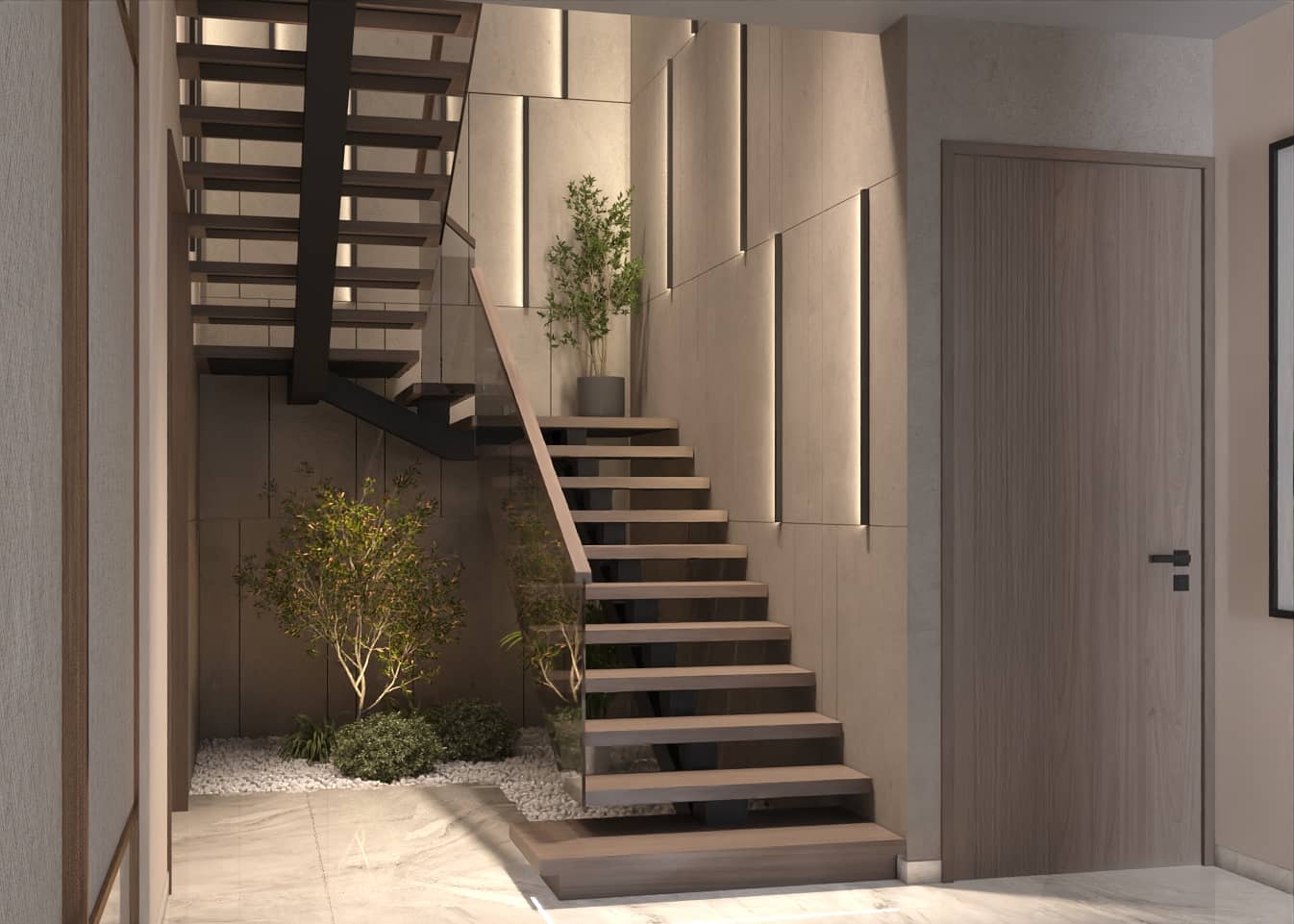
Lighting Techniques in 3D Rendering: HDRI, Ray Tracing, Realistic Shadows
Lighting is the soul of 3D rendering. Even the most detailed model with perfect textures will fall flat without proper lighting. Great lighting creates mood, reveals form, communicates time of day, and bridges the gap between "computer-generated" and "photorealistic." It's the difference between a render that sells and one that gets scrolled past.
In this definitive guide, we explore the core lighting techniques that drive photoreal 3D visualization: HDRI (high dynamic range imaging), ray tracing, and realistic shadow creation. You'll learn the fundamentals, see real examples across daylight, dusk, and artificial lighting scenarios, and walk away with actionable workflows you can apply to your next architectural, interior, or product rendering project.
Primary keyword: lighting techniques in 3D rendering. Related LSI keywords: HDRI lighting, ray tracing, realistic shadows, 3D lighting workflow, global illumination, physical sky, photometric lights, light baking, caustics, ambient occlusion.
Why lighting defines realism
Lighting reveals form and depth
Without light, there's no shadow. Without shadow, there's no depth. Proper lighting sculpts geometry, separates foreground from background, and gives viewers visual anchors.
Light communicates emotion and time
Golden hour warmth evokes nostalgia. Cool blue dusk suggests calm and modernity. Harsh midday sun reads as clarity and energy. Lighting is narrative.
Accurate light builds trust
In architectural visualization, buyers and investors need to trust what they see. Calibrated lighting that matches site conditions and product specs builds credibility.
Poor lighting is expensive to fix
Getting lighting right early in the pipeline saves post-production hours. Relighting a complex scene mid-project can delay timelines and blow budgets.
Lighting fundamentals: the building blocks
Before diving into HDRI and ray tracing, let's establish the core concepts.
Three-point lighting (studio foundation)
Borrowed from photography and cinema:
- Key light: Primary source; defines direction and mood
- Fill light: Softens shadows; prevents pure black areas
- Rim/back light: Separates subject from background; adds depth
This classic setup works for product visualization and hero interior shots.
Physical vs artistic lighting
- Physical (photometric): Uses real-world light units (lumens, candela) and inverse-square falloff. Best for archviz accuracy.
- Artistic: Manual control for creative intent. Useful for stylized renders or when physics gets in the way of the shot.
Color temperature and mood
Measured in Kelvin:
- Warm (2700–3500K): Incandescent bulbs, sunset, cozy interiors
- Neutral (4000–5000K): Daylight, offices, clean modern spaces
- Cool (5500–6500K+): Overcast sky, clinical/tech environments
Mixing temperatures creates visual interest but requires careful balance.
HDRI lighting: capturing the real world
What is HDRI?
HDRI (High Dynamic Range Imaging) captures a full 360° photograph with far greater brightness range than standard images. It records light from deep shadows to bright sun in a single file, preserving real-world lighting data.
Why HDRI transforms 3D lighting
- Instant environment: One HDRI file provides lighting, reflections, and background in one go.
- Photoreal reflections: Chrome, glass, and glossy surfaces reflect the actual captured environment.
- Accurate color: Light color matches the real sky, foliage, and surrounding architecture.
- Fast iteration: Swap HDRIs to test different times of day or locations.
HDRI formats and resolution
- File types: .HDR, .EXR (preferred for 32-bit depth)
- Resolution: 4K minimum for backgrounds; 8K+ for sharp reflections on close-ups
- Spherical projection: Equirectangular maps most common
Where to get HDRIs
- Capture your own: 360 camera + bracketing, stitched in PTGui or similar
- Stock libraries: Polyhaven (free), HDRI Haven, HDRISkies, CGSkies
- Site-specific: Shoot on location for accurate context and lighting
HDRI workflow tips
- Match HDRI to site: Use captured or stock HDRIs that align with project geography and season.
- Control intensity: Scale HDRI brightness to match interior/exterior exposure balance.
- Rotate for sun direction: Align the sun position in the HDRI with your camera view and design intent.
- Combine with additional lights: Use HDRI for base ambient and add key lights for control.
Ray tracing: simulating real light behavior
What is ray tracing?
Ray tracing simulates how light bounces in the real world — reflecting, refracting, and scattering through materials. It traces light rays backward from the camera through the scene, calculating every interaction.
Why ray tracing matters
- Physically accurate reflections and refractions (glass, water, mirrors)
- Realistic global illumination (light bouncing off surfaces and lighting other surfaces)
- Soft shadows from area lights
- Caustics (light focused through glass or water, creating patterns)
Path tracing vs traditional ray tracing
- Path tracing: Traces many random rays per pixel; converges to photorealism with enough samples. Used in modern engines like V-Ray, Corona, Cycles, Arnold.
- Traditional ray tracing: Faster but less accurate; often hybrid with rasterization. Real-time engines (Unreal, Unity) now support ray tracing via RTX.
Ray tracing settings that matter
- Samples/subdivisions: Higher = cleaner but slower. Start low for tests; ramp up for finals.
- Bounces: Number of light reflections. 3–6 bounces for interiors; fewer for speed.
- Denoising: AI denoisers (OptiX, OIDN) reduce noise without massive sample counts.
When to use ray tracing
- Interiors with complex light bounce (white walls reflecting daylight)
- Glass and water visualization
- Polished metals and mirrors
- Caustics (sunlight through bottles, pools)
When to skip or simplify
- Backgrounds far from camera (use baked lightmaps or faked reflections)
- Real-time VR/AR (hybrid or baked lighting preferred for performance)
Realistic shadows: the anchor of believability
Shadows ground objects in space and reveal the quality of your lighting setup.
Shadow types
- Hard shadows: Sharp edges; small/distant light sources (sun, spotlights). Good for dramatic contrast.
- Soft shadows: Gradual falloff; large/diffuse sources (overcast sky, softboxes). More natural and forgiving.
Controlling shadow quality
- Light size/area: Larger lights = softer shadows
- Distance: Shadows soften as they move away from the casting object (contact hardening)
- Subdivisions/samples: More samples = cleaner, less noisy soft shadows
Common shadow mistakes
- Pure black shadows: Add subtle fill or bounce light; real shadows are never 100% black.
- Uniform sharpness: Vary shadow softness based on light size and distance.
- No contact shadows: Even soft lighting needs subtle darkening where objects meet surfaces.
- Ignoring ambient occlusion: AO adds micro-shadows in crevices; essential for realism.
Ambient occlusion (AO)
AO simulates soft shadowing in areas where surfaces are close (corners, edges, contact points). It's not physically accurate but adds critical depth. Often rendered as a separate pass and composited.
Daylight scenes: mastering natural light
Daylight is the most common lighting scenario in architectural visualization.
Physical sky systems
Modern renderers offer physical sky models (V-Ray Sun/Sky, Corona Sun, Arnold Sky) that simulate atmospheric scattering and sun position based on location, date, and time.
Setup:
- Set geographic location and time of day
- Adjust turbidity (haze) for atmosphere
- Control sun intensity and color temperature
- Enable physical camera exposure for correct brightness
HDRI + sun hybrid
Combine an HDRI for ambient and reflections with a directional sun light for control.
Why: HDRI alone can lack punch; adding a sun light sharpens shadows and highlights.
Time-of-day variations
- Morning (7–9 AM): Warm, long shadows; fresh and energetic
- Midday (11 AM–1 PM): Neutral, short shadows; high contrast; clinical or vibrant
- Afternoon (3–5 PM): Golden, angled; warm and inviting
- Overcast: Soft, diffuse; minimal shadows; even and calm
Pro tip: Early morning and late afternoon (golden hour) are most flattering for exteriors.
Daylight interior workflow
- Start with HDRI or physical sky for base ambient
- Use large area lights or portals at windows to boost interior brightness
- Add subtle fill lights to lift shadows in deep corners
- Balance exposure: exterior visible through windows without blowing out
Dusk and twilight scenes: dramatic and premium
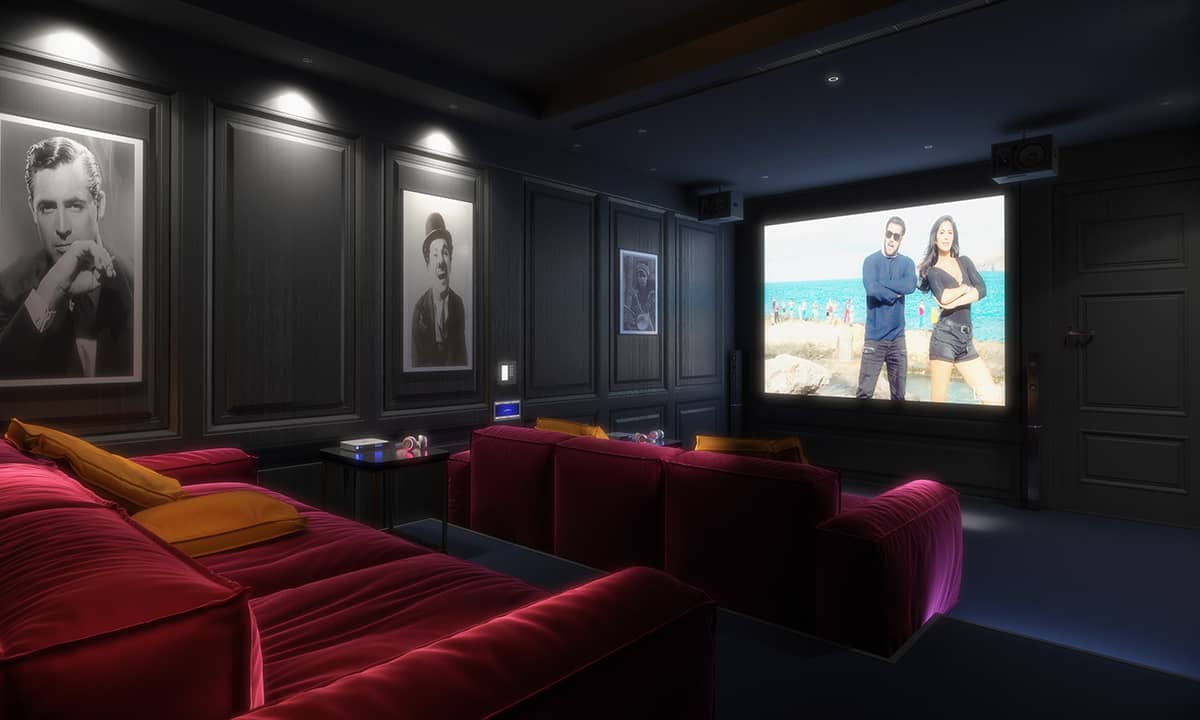
Dusk (blue hour) is a favorite for luxury real estate and hospitality renders.
Why dusk works
- Warm interior lights contrast with cool exterior sky
- Dramatic mood: sophisticated, intimate, aspirational
- Hides context flaws: twilight sky is forgiving and cinematic
Dusk lighting setup
- HDRI or gradient sky: Deep blue at zenith fading to purple/orange at horizon
- Practical interior lights: All fixtures on; warm 2700–3000K
- Subtle exterior accents: Landscape lights, facade uplights, street lamps
- Exposure balance: Interior lights glow but don't clip; sky retains detail
Common dusk mistakes
- Sky too dark or too bright
- Interior lights too cold (use warm temperatures)
- No ambient skylight (scene feels flat)
- Over-reliance on post: Lighting should do 80% of the work
Pro tip: Render sky and interior lights as separate passes for fine control in post.
Artificial lighting: interiors and products
Artificial light is controlled, repeatable, and essential for product and interior visualization.
Light types
- Point lights: Omnidirectional; simple but limited
- Spot lights: Directional cone; good for focused accents
- Area lights: Rectangular/disc; soft, natural falloff; best for realism
- IES lights: Photometric profiles from real fixtures; accurate distributions
Interior artificial lighting workflow
- Use IES profiles when available (manufacturers provide them)
- Place area lights inside lampshades and fixtures for soft, realistic glow
- Add fill lights to prevent pure black areas
- Use light linking to exclude lights from specific objects (avoid unwanted reflections)
Studio product lighting (controlled setup)
- HDRI for ambient and reflections
- Key light (large softbox): Main form and highlight
- Fill lights: Lift shadows gently
- Rim light: Separate product from background
- Background light: Optional gradient or colored wash
Mixed lighting scenarios
Interiors often combine daylight and artificial light.
- Daytime interiors: Daylight dominant; practicals add warmth and depth
- Evening interiors: Artificial dominant; residual skylight for realism
- Transitional (dusk): Balance both carefully
Challenge: Mixing color temperatures. Solution: Use warm practicals near people and cool accents for architecture.
Advanced techniques and tips
Global illumination (GI)
GI simulates indirect light bouncing off surfaces. Essential for photorealism.
- Brute force GI: Accurate but slow
- Irradiance caching / Light cache: Faster approximations
- Baked GI: Pre-calculate for real-time or animation (Lightmass in Unreal)
Light portals
Invisible helpers that guide light sampling through windows and openings. Dramatically speeds up interior daylight renders.
Caustics
Light focused through refractive surfaces (glass, water). Beautiful but render-heavy. Use selectively for hero details.
Light baking for real-time
For VR/AR or web 3D, bake lighting into textures. Trade-off: static lighting but fast performance.
Bloom and lens effects
Post-process effects that mimic camera behavior. Use subtly to enhance bright areas without overpowering the render.
Workflow: lighting a scene step-by-step
1. Block in base lighting
Start with HDRI or physical sky. Get rough brightness and direction.
2. Add key lights
Introduce sun or main artificial lights. Establish mood and shadows.
3. Fill and balance
Add fill lights or adjust GI to lift shadows and balance exposure.
4. Test render and iterate
Low-res test renders; check shadows, reflections, color temperature.
5. Refine materials
Lighting and materials interact. Adjust roughness and reflectivity based on how light reads.
6. Camera and exposure
Set physical camera settings (ISO, f-stop, shutter) to match real-world photography.
7. Render passes
Beauty, reflection, AO, Z-depth, light select passes for compositing control.
8. Post-production
Color grade, add lens effects, composite passes, and final retouching.
Real-world example: residential exterior at three times of day
Morning (8 AM)
- Setup: Physical sky at low sun angle (30°); warm 4500K
- Mood: Fresh, inviting; long shadows emphasize texture
- Use case: Family homes, breakfast nooks, east-facing facades
Midday (12 PM)
- Setup: High sun (60–80°); neutral 5500K; short shadows
- Mood: Bright, clean, energetic; high contrast
- Use case: Modern commercial, minimalist architecture
Dusk (7 PM, blue hour)
- Setup: Gradient sky (deep blue); all interior lights on at 2800K; subtle landscape lights
- Mood: Luxurious, warm, aspirational
- Use case: High-end residential, hospitality, sales marketing
Each scenario uses the same model and materials but tells a completely different story through lighting alone.
Common lighting pitfalls and fixes
1. Flat, lifeless lighting
Problem: No contrast or direction.
Fix: Introduce a clear key light and control fill intensity.
2. Overexposed or underexposed
Problem: Poor exposure balance.
Fix: Use physical camera settings and exposure control; test histogram.
3. Inconsistent color temperature
Problem: Warm and cool lights clash awkwardly.
Fix: Decide on a dominant temperature and use the other as accent sparingly.
4. Noisy renders
Problem: Insufficient samples or low subdivisions.
Fix: Increase sampling; use denoising; optimize GI settings.
5. Unrealistic shadows
Problem: Pure black or uniformly sharp.
Fix: Add fill light; use area lights for softness; enable AO.
FAQ
What is HDRI and why is it important in 3D rendering?
HDRI (High Dynamic Range Imaging) captures real-world lighting with a full range of brightness. It provides realistic ambient light, reflections, and background in one asset, making renders more photoreal and efficient.
How does ray tracing improve 3D renders?
Ray tracing simulates real light physics — reflections, refractions, and bounces. It produces accurate glass, mirrors, caustics, and global illumination, making renders look natural and believable.
What's the difference between hard and soft shadows?
Hard shadows have sharp edges (small or distant light source like the sun). Soft shadows have gradual falloff (large or diffuse sources like overcast sky or softboxes). Soft shadows look more natural in most scenes.
Should I use HDRI or physical sky for daylight scenes?
Both work. Physical sky offers precise control over sun position and atmosphere. HDRI captures real-world context and is faster to set up. Many pros use a hybrid: HDRI for ambient + directional sun for control.
How do I make interior lighting look realistic?
Use area lights or IES profiles for fixtures, balance daylight and artificial sources, add subtle fill to prevent pure black shadows, and enable global illumination for light bounce. Match color temperatures to real bulbs.
Conclusion: light well, render better
Lighting is not a technical afterthought — it's the creative core of 3D visualization. Mastering HDRI, ray tracing, and realistic shadows gives you the power to create renders that feel real, evoke emotion, and drive decisions. Whether you're lighting a daylight exterior, a dusk hero shot, or a studio product scene, the principles remain: understand your light sources, control your shadows, and always match the mood to the message.
At Space Visual, we combine technical lighting expertise with artistic vision to deliver photoreal renders that perform — in marketing, approvals, and sales. If you're ready to elevate your project with world-class lighting and rendering, we'll provide a detailed brief, timeline, and sample frames.
Explore Latest Blogs
3D Product Visualization: Boosting E‑commerce Sales with Interactive Renders
A comprehensive guide to 3D product visualization for e‑commerce — how interactive renders, 360° viewers, and animations increase conversions, reduce photoshoot costs, and speed up launches.

How 3D Renderings Help in Client Approvals and Faster Project Sign-off
A comprehensive guide to using 3D renderings for faster client approvals and project sign-off — covering decision psychology, approval workflows, cost savings, and stakeholder communication strategies.